DesignPublished 3 min read
WidgyKit Nixie, LED and LCD retro clock widgets
Nixie amber, LCD olive, LED alarm, Dot matrix and Neon night: five retro digital clock widgets in WidgyKit, each one a nod to a different era of technology.
Also available in:Tiếng Việt
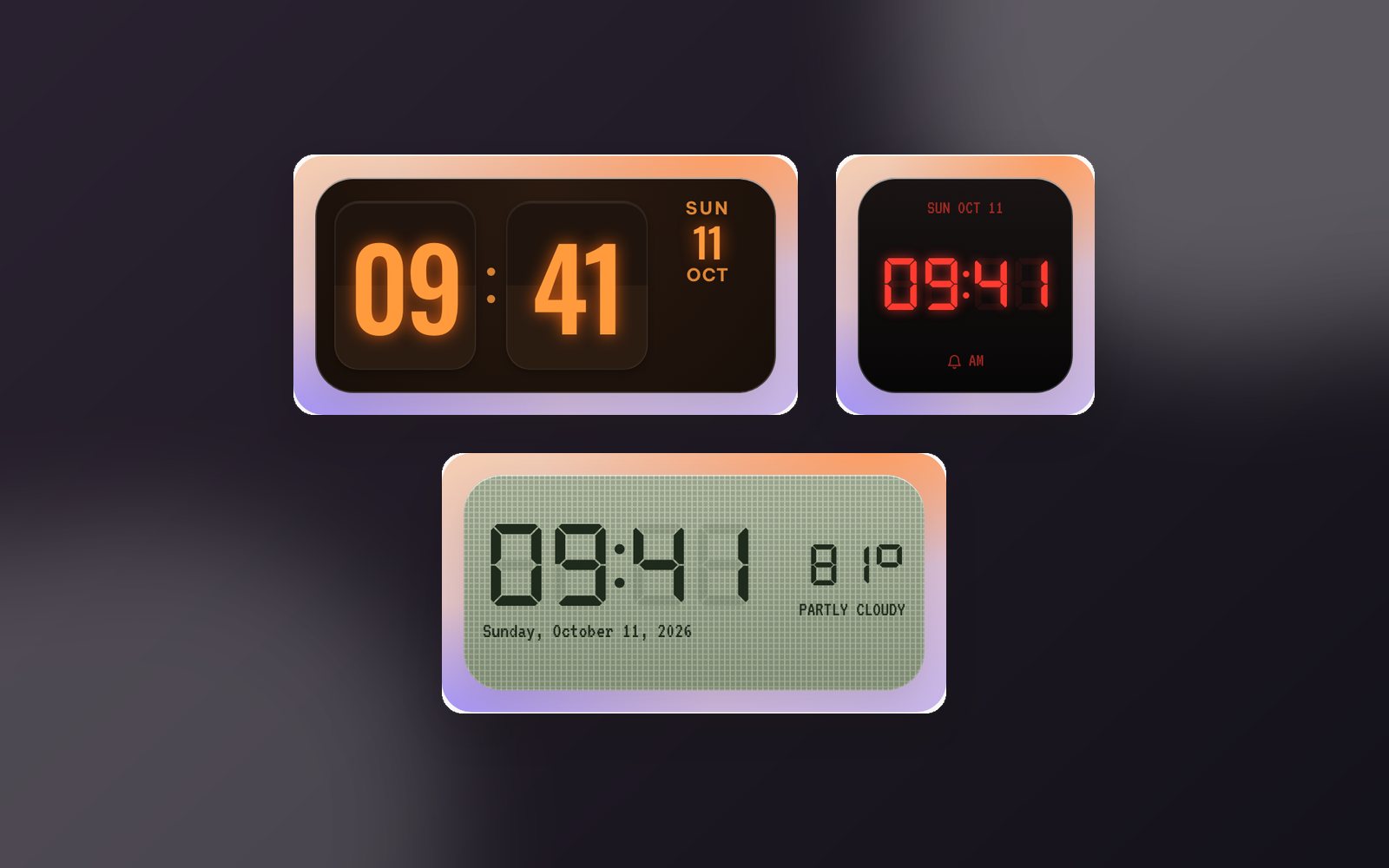
Before touchscreens, every era had its own kind of digits: the orange glow of Nixie tubes, the olive LCD of pocket calculators, the red LEDs of a bedside alarm clock. WidgyKit brings those digits to your Home Screen as clock widgets. Here are five designs, what they recall, who they suit and how to add them.
Nixie amber: tube glow in a walnut case
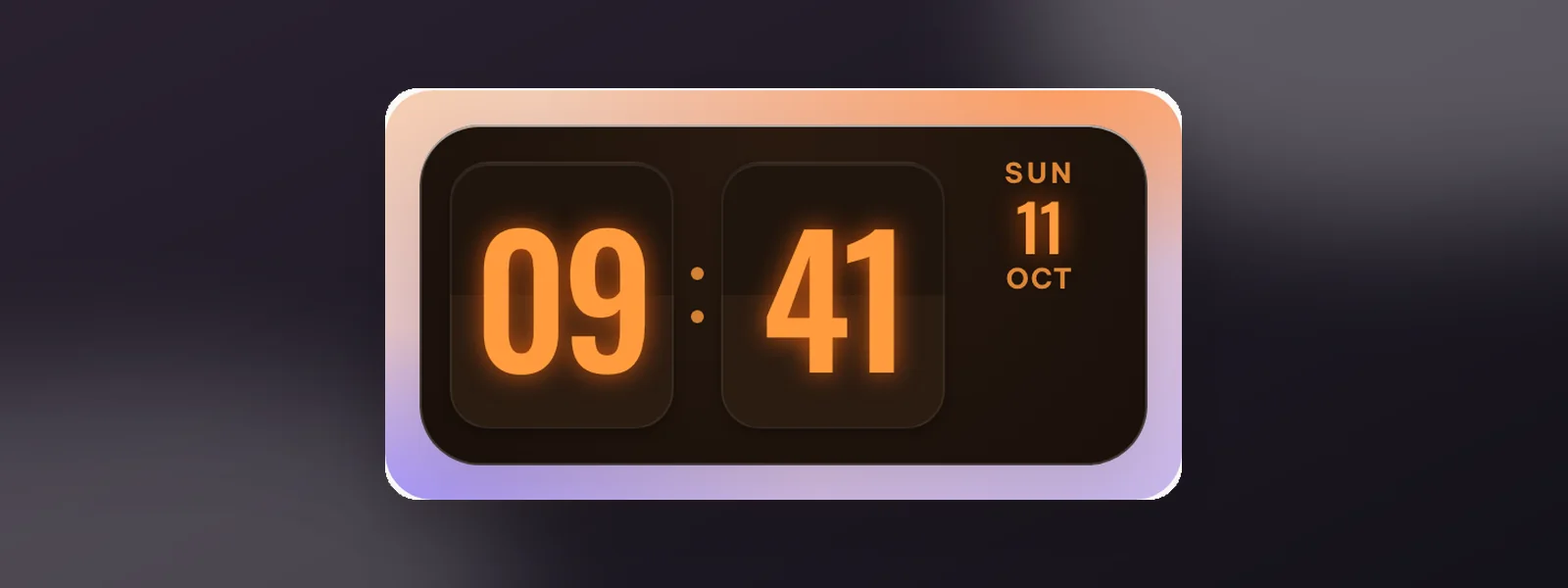
Nixie tubes are glass tubes holding metal digits that glow orange when powered, a fixture of 1960s instruments. Nixie amber recreates that warm light inside a dark walnut case, with the weekday and date in small type on the right.
- Size: medium.
- Suits: dark, wood or brown wallpapers; lovers of vintage gear and warm lighting.
LCD olive and LED alarm
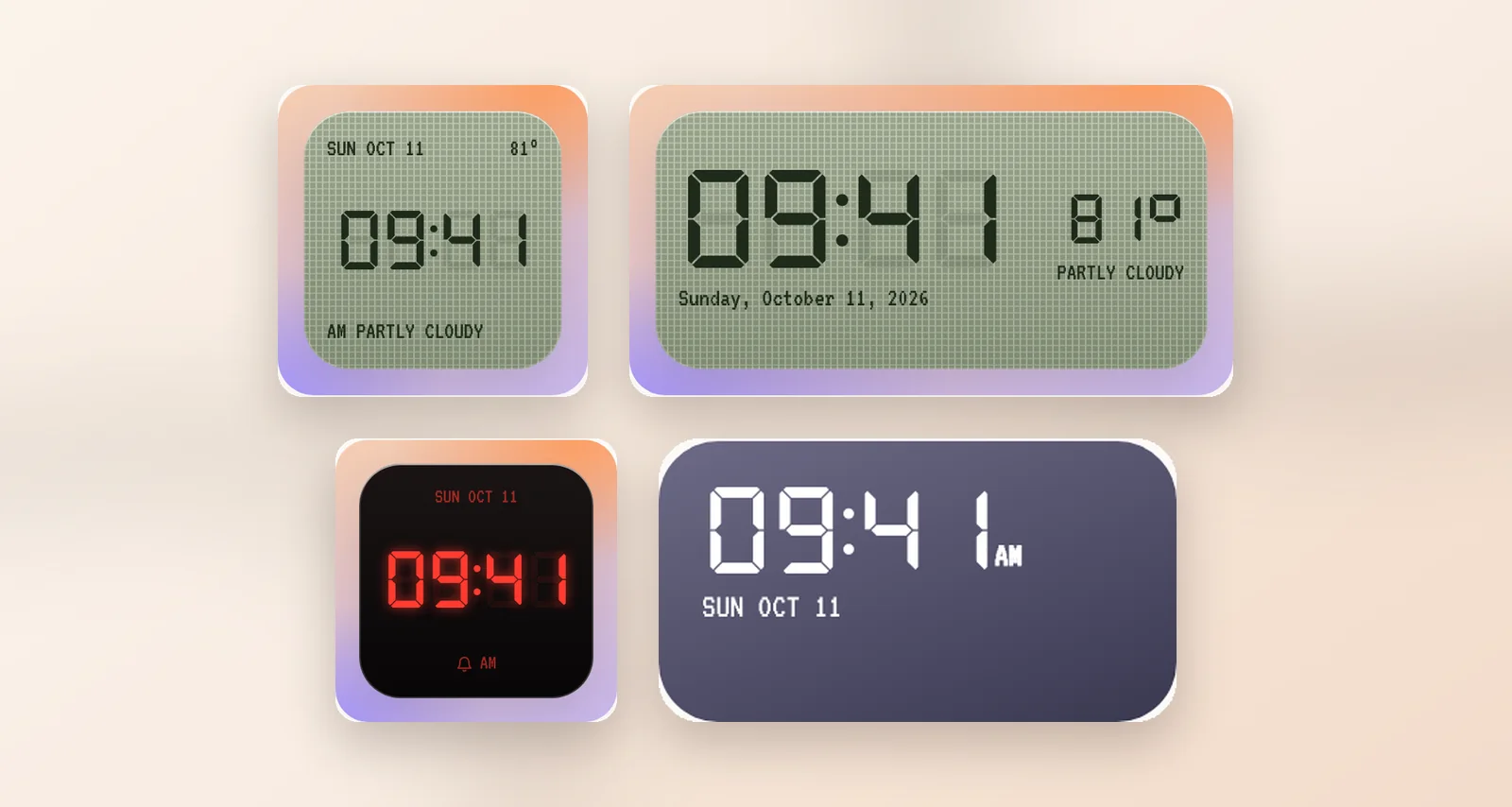
LCD olive mimics a 7-segment liquid crystal display: olive background, black digits and even the faint "ghost" segments that are switched off, just like an early calculator or digital watch. It also shows today's temperature and conditions.
- Sizes: small and medium.
- The weather follows the location you choose; the app asks for location access when needed.
LED alarm is the familiar bedside clock: red LED digits with a soft glow, a tiny bell and the date in the corner.
- Sizes: small and Lock Screen (iPhone).
- Suits: dark screens and late-night phone users.
Dot matrix and Neon night
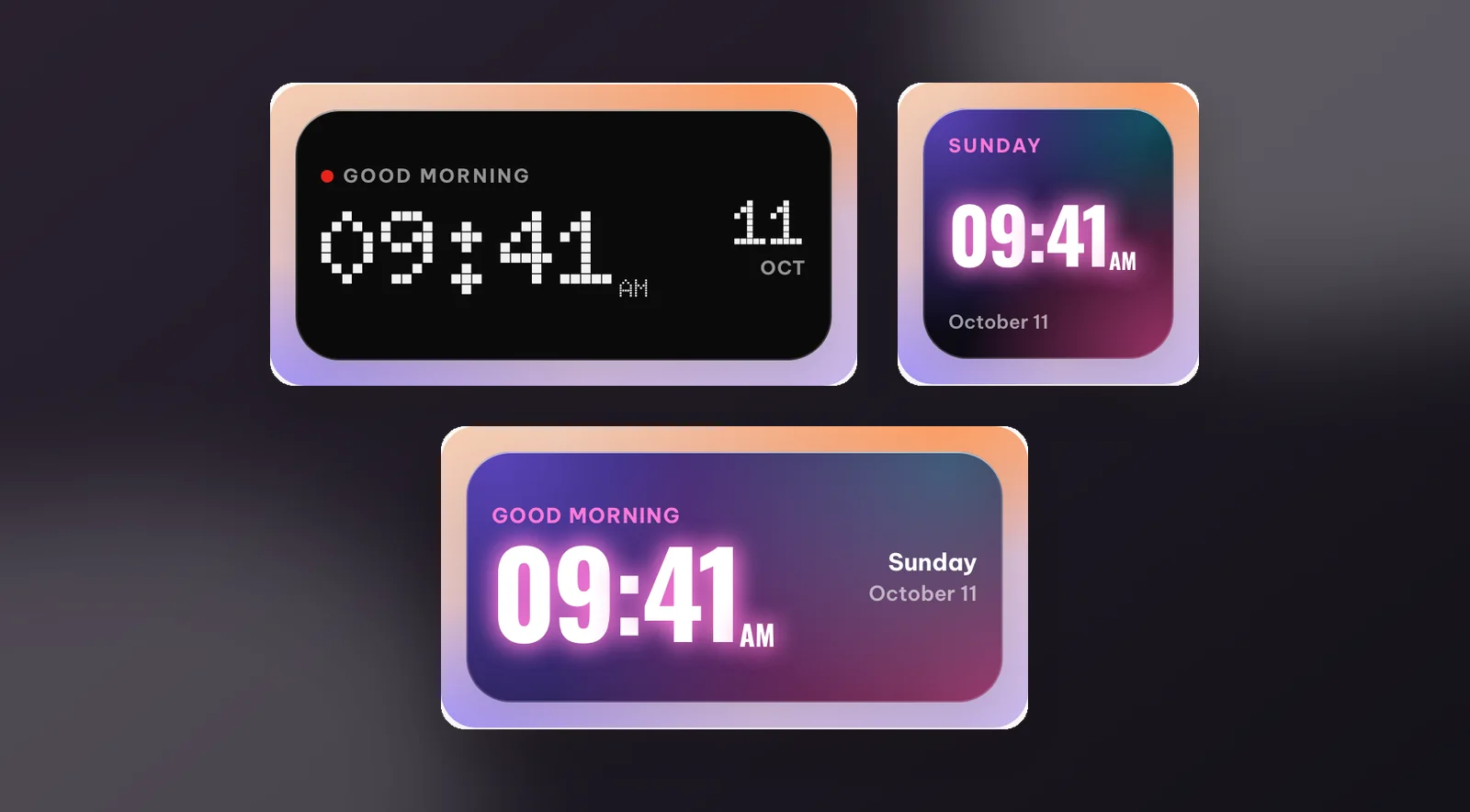
Dot matrix draws the time in white dots like a station departure board: monochrome, with a single red "signal" dot as the accent. It comes in small, medium and Lock Screen sizes, retro yet very minimal.
Neon night glows between violet and pink like an 80s neon sign, with a greeting for the time of day and the date. Small and medium.
Which one is for you?
| Design | Sizes | Feel | Wallpaper |
|---|---|---|---|
| Nixie amber | Medium | Warm, classic, premium | Dark, wood, brown |
| LCD olive | Small, medium | Pocket calculator, playful | Light or neutral |
| LED alarm | Small, Lock Screen | Bedside, night time | Dark |
| Dot matrix | Small, medium, Lock Screen | Departure board, minimal | Black, grey |
| Neon night | Small, medium | 80s, vibrant | Purple, pink, city at night |
Prefer physical cards? See the retro flip clock widgets. Like the feel of print? There are newspaper-style widgets too.
How to add a retro clock
- Open WidgyKit › Widgets tab › pick a design (for example Nixie amber) › Install.
- iPhone: touch and hold an empty spot › Edit › Add Widget › WidgyKit › pick the size the design supports (Nixie is medium) › add. Touch and hold the widget › Edit Widget › choose the design.
- Android: touch and hold an empty spot › Widgets › drag WidgyKit onto the screen › pick the design on the setup screen.
Note: Edit Widget only lists designs that have a layout for the size you placed, so if Nixie is missing from a small widget, add a medium one instead.
FAQ
Do clock widgets drain the battery?
The time is drawn from the system clock, so the widget doesn't need to run constantly in the background. LCD olive also shows the weather, which refreshes periodically on the system's schedule.
Are these widgets free?
In the current catalog, all five designs are marked Free.
Wrapping up
Every style of digit is a slice of tech history, and putting them on your Home Screen is a fun way to give your phone some personality. Download WidgyKit and try switching between Nixie, LCD and LED to see which one feels like you.
Keep reading
Design3 min read
WidgyKit frosted glass weather and clock widgets
Glass weather, Flip glass, Aurora weather and Singapore · glass duo: WidgyKit's frosted glass widgets, made to show off a photo wallpaper and stay readable.
Design2 min read
WidgyKit newspaper and paper-style retro widgets
The Daily, Mixtape year, Year progress and France · public holidays: WidgyKit widgets that bring newsprint, serif headlines and cassettes to your phone.
Design3 min read
WidgyKit retro flip clock widgets
Flip classic, Flip cream, Flip glass, Flip date and Flip & weather: the WidgyKit split-flap clock family, with sizes, pairing ideas and setup steps.